
WordPress 6.4 “Shirley” Walkthrough: New Features and Updates
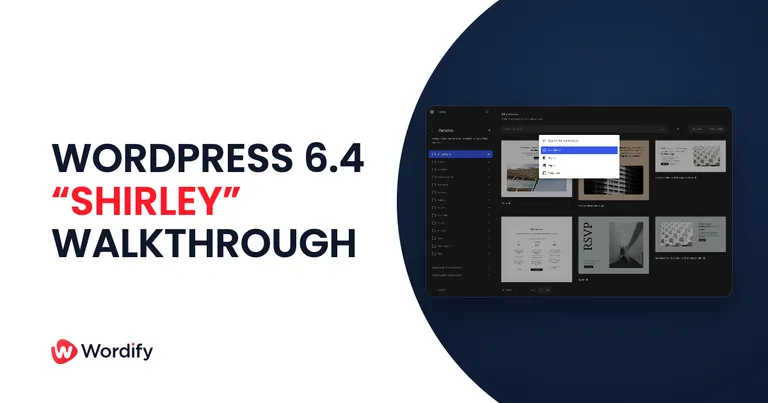
WordPress 6.4 landed on November 7, 2023. Codenamed “Shirley” after the jazz singer and pianist Shirley Horn, it ships more than 1,150 enhancements and bug fixes from over 600 contributors across 56 countries, more than 170 of them first-time contributors. It was also built by an underrepresented gender release squad, a first worth celebrating.
There’s no single blockbuster feature this time. Instead 6.4 is a stack of quality-of-life improvements that add up: a genuinely versatile new default theme, a native image lightbox, and an editor that gets out of your way more often. Here’s the walkthrough.
Twenty Twenty-Four, a default theme for more than blogging
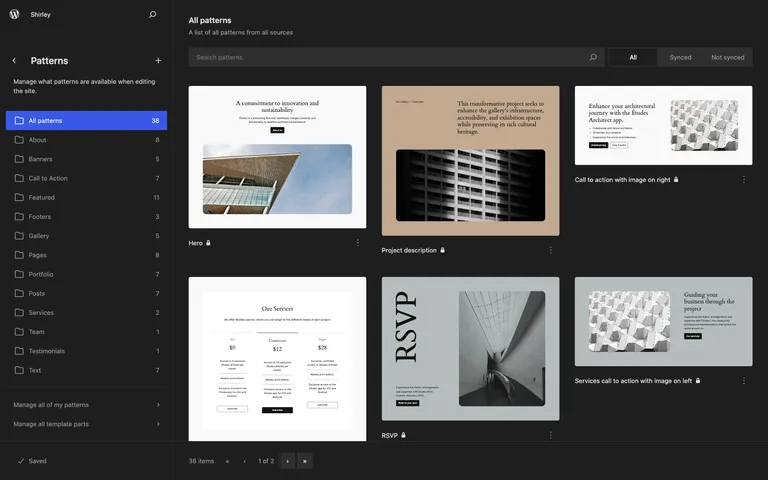
Every year ships a new default theme, and most of them assume you’re a blogger. Twenty Twenty-Four is built for three audiences at once: writers, artists, and entrepreneurs. It comes with more than 35 templates and patterns, so a portfolio, a small business site, and a magazine-style blog are all a few pattern choices apart from the same starting point.
In our view it’s the first default theme that works as a serious starting point for client sites rather than a demo you replace on day one.
A lightbox, no plugin required
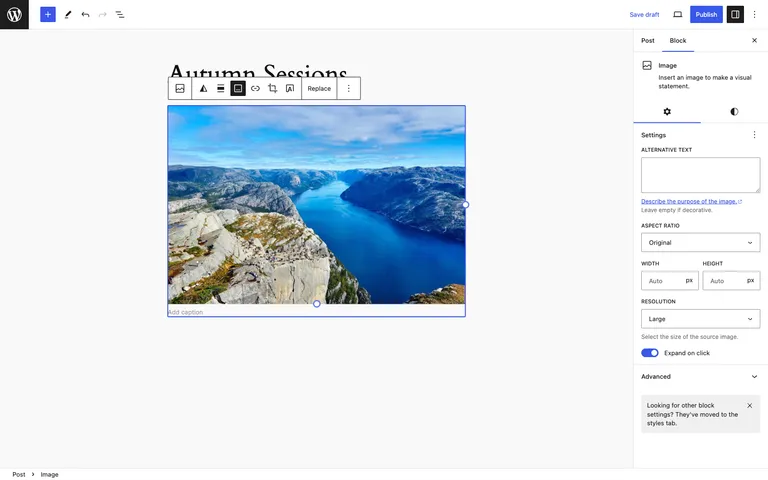
Click-to-expand images have been a plugin job for as long as we can remember. In 6.4 it’s a toggle: select an Image block, flip on Expand on click, and visitors get a full-screen, interactive view of the image. You can enable it per image or globally in Styles, which is the right level of control for photographer and portfolio sites.
The Command Palette grows up
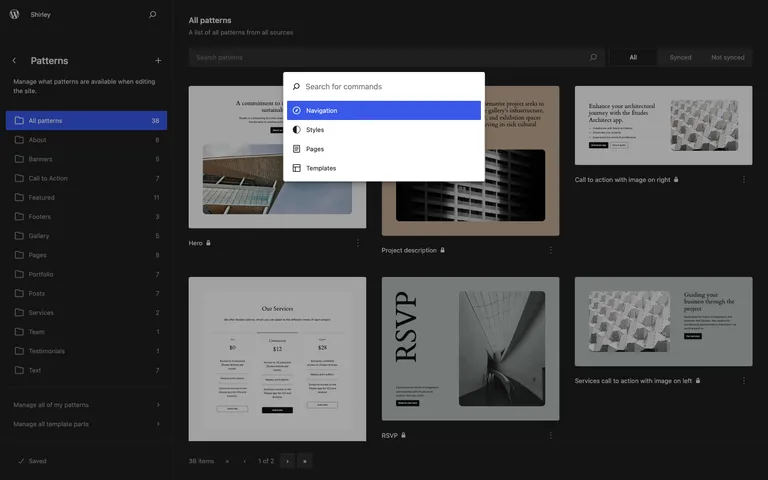
The Command Palette arrived in 6.3, and 6.4 gives it a refreshed design, new commands, and block-specific actions. Press Ctrl + K (Cmd + K on a Mac) in the editor and you can jump between templates, toggle UI panels, or act on the selected block without hunting through menus. If you spend hours a day in the editor, this is the feature that quietly saves the most time.
A tidier writing experience
A cluster of small editor improvements make everyday writing smoother:
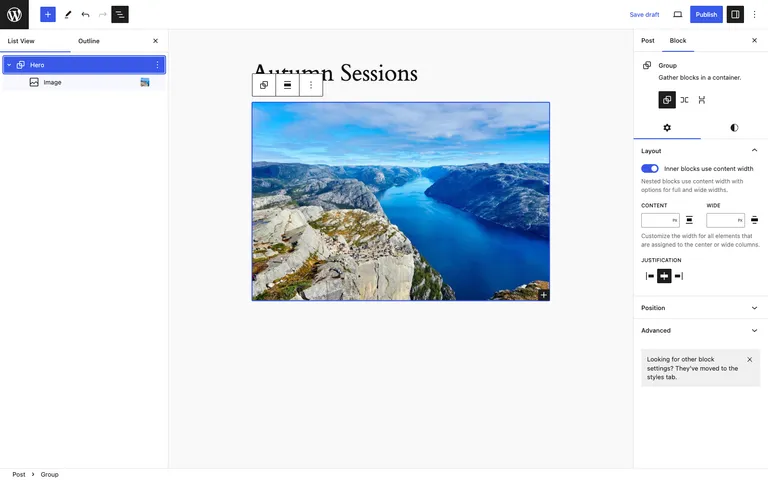
- List View gets image previews. Gallery and Image blocks now show thumbnails in List View, so long pages are far easier to navigate.
- Rename Group blocks. Give sections real names (“Hero”, “Pricing”, “FAQ”) that show up in List View instead of a wall of identical “Group” labels.
- Keyboard shortcuts in List View, smarter list merging, and finer control in link settings.
- Unified toolbars. The Navigation, List, and Quote blocks now keep their tools in one consistent toolbar instead of scattering them.
Patterns get categories and portability
You can now organize your own patterns into custom categories and filter them in the inserter, which matters once a site’s pattern library grows past a dozen entries. Better still for agencies: patterns can be exported and imported as JSON files from the Site Editor, so a pattern library you refine on one site can move to the next project in seconds.
For developers
WordPress 6.4 merges six Gutenberg releases (16.2 through 16.7) into core. From the field guide, the items worth flagging:
- Block Hooks API. Plugins can auto-insert dynamic blocks at specific locations in block themes (think a like button after every Post Content block), and users keep full control to dismiss or customize what gets added.
- Options performance. New
get_options(),wp_prime_option_caches(), andwp_set_option_autoload_values()functions for loading options efficiently and controlling autoload behavior. - Script loading strategies. Core and bundled themes now use
deferandasyncloading strategies, and several scripts moved to the head with defer, improving how pages load without render blocking. - Deprecations. The
TEMPLATEPATHandSTYLESHEETPATHconstants are deprecated in favor ofget_template_directory()andget_stylesheet_directory(), and the old cURL/streams HTTP classes give way to the Requests library. - Attachment pages are gone on new installs. New sites no longer generate attachment pages, which were a long-standing thin-content SEO nuisance.
Performance
The release notes count more than 100 performance-related updates, concentrated on faster template loading for block themes, the new script loading strategies, and smarter handling of autoloaded options. The core team hasn’t published headline percentages for this one, so we won’t invent any; the work is real but incremental, and template-heavy block theme sites should feel it most.
Updating to 6.4
The usual pre-flight checklist applies:
- Back up your site, or confirm your host’s latest backup is current.
- If you have a staging site, update there first and click through your key pages and forms.
- Update from your WordPress dashboard under Dashboard → Updates, then retest the front end.
On Wordify you can create a fresh backup and a staging copy from your dashboard before updating, which turns a risky click into a reversible one.
Wrapping up
WordPress 6.4 is available now from your dashboard or wordpress.org. Our pick of the release is Twenty Twenty-Four: a default theme you can actually build on. Which change makes the biggest difference to your workflow? Let us know in the comments.