
WordPress 6.5 “Regina” Walkthrough: New Features and Updates
WordPress 6.5 arrived on April 2, 2024. Codenamed “Regina” after the genre-crossing jazz violinist Regina Carter, it’s a big one: more than 2,500 updates and fixes from around 700 contributors across 57+ countries, over 150 of them first-timers.
The headline for site owners is the Font Library. The headline for developers is a pair of new APIs that will quietly shape how WordPress sites get built for years. And the headline for everyone is that the editor got dramatically faster. Let’s walk through it.
The Font Library: typography without the plugin
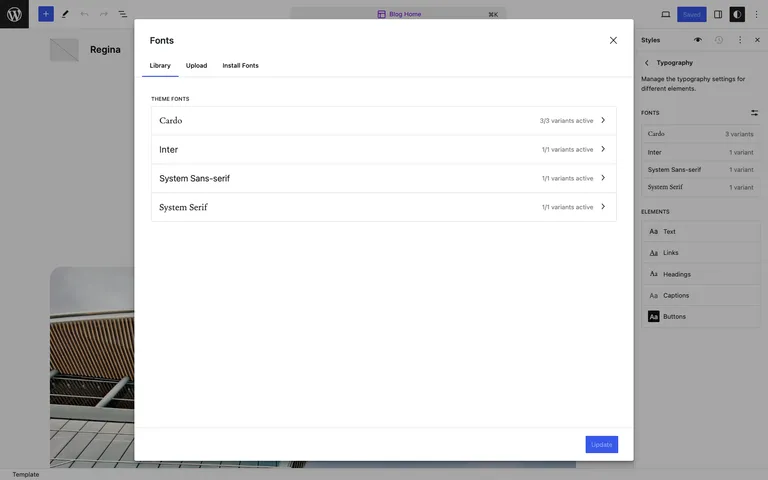
Until now, changing fonts on a block theme meant editing theme files, using a plugin, or living with what the theme shipped. The new Font Library makes fonts a site-level setting: install, activate, and remove local or Google Fonts from the Site Editor for any block theme, no code required. It works like the Media Library, but for typography.
For agencies, this ends the “brand font on a client site” ritual of enqueueing font files by hand. Upload once, activate, done.
Revisions that tell you what changed
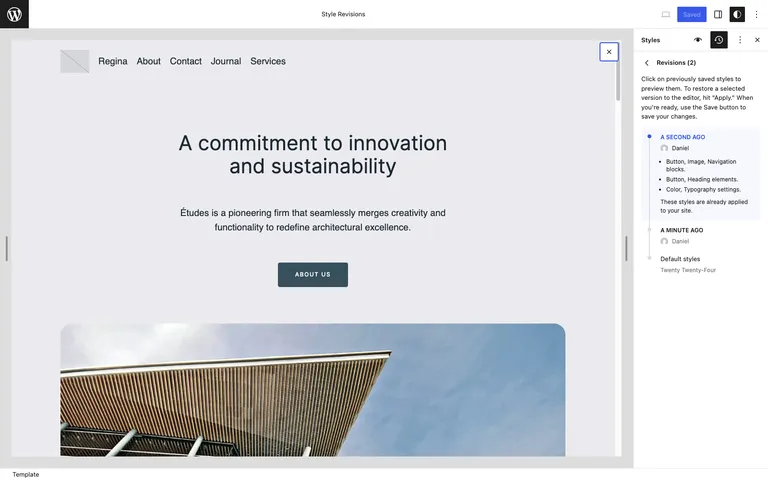
Revisions got real upgrades: timestamps, change summaries, and paginated lists, now available for templates and template parts as well as posts. Style revisions extend into the Style Book too, so you can see design changes block by block. Combined, it makes “who changed what, and can we go back” a much shorter conversation.
Data views for site management
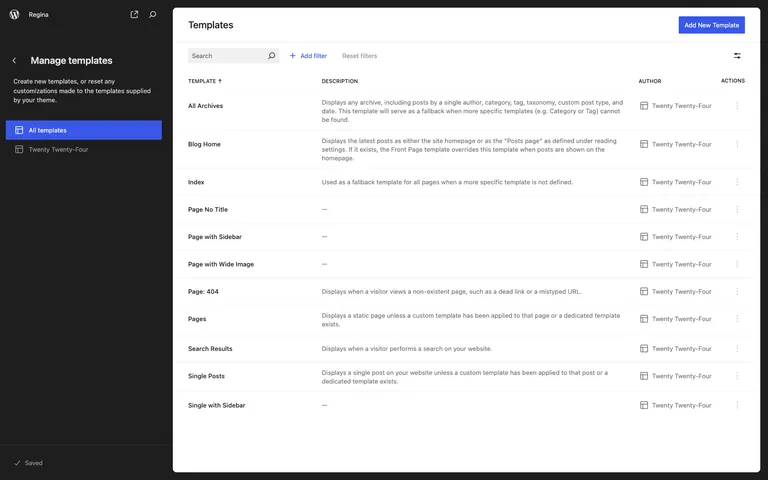
Pages, templates, patterns, and template parts can now be managed in new data views: sortable table or grid layouts with toggleable fields and bulk actions. It’s the beginning of the Site Editor becoming a genuine management surface rather than just a design tool.
More control over backgrounds and covers
Design tools keep compounding: Group blocks gain background image size, repeat, and focal point controls, Cover blocks get aspect ratio settings and can auto-generate a color overlay from the image, and box shadow support reaches more blocks. Individually small; together they replace another layer of custom CSS.
For developers
WordPress 6.5 merges 10 Gutenberg releases (16.8 through 17.7), and this is the most consequential developer release in a while:
- Interactivity API. A standard way to build interactive front-end experiences (live search, favoriting, dynamic UI) with directives, without hauling in a JavaScript framework. This is the foundation instant-feeling WordPress front ends will be built on.
- Block Bindings API. Bind core block attributes to custom fields and dynamic sources without building a custom block. Dynamic content just got far cheaper to ship.
- Plugin dependencies. The new
Requires Pluginsheader lets a plugin declare the plugins it needs, and WordPress prompts users to install and activate them. NewWP_Plugin_Dependenciesclass under the hood. - Script Modules API. Native JavaScript module support lands in core.
- AVIF support. The Media Library now accepts AVIF, which can come in dramatically smaller than JPEG at comparable quality.
- Housekeeping. The MySQL minimum rises from 5.0 to 5.5.5, and the new performant translations system loads localized sites noticeably faster.
Performance
The numbers the core team published for 6.5 are the kind we like to repeat: the post and site editors load around twice as fast as in 6.4, input processing in the editor is up to five times faster, and translated sites can see load time improvements of up to 25% thanks to the new translation system. Over 110 performance-focused updates in total.
Updating to 6.5
- Back up your site, or confirm your host’s latest backup is current.
- If you have a staging site, update there first and click through your key pages and forms.
- Update from your WordPress dashboard under Dashboard → Updates, then retest the front end.
On Wordify you can create a fresh backup and a staging copy from your dashboard before updating, which turns a risky click into a reversible one.
Wrapping up
WordPress 6.5 is available now from your dashboard or wordpress.org. The Font Library will get the attention, but our money is on the Interactivity and Block Bindings APIs being the changes we look back on. Which feature lands first in your workflow? Let us know in the comments.