
WordPress 6.6 “Dorsey” Walkthrough: New Features and Updates
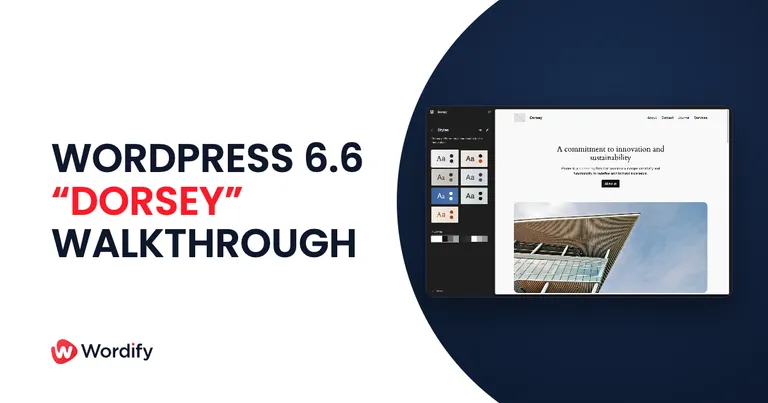
WordPress 6.6 landed on July 16, 2024. Codenamed “Dorsey” after big band leader Tommy Dorsey, it packs more than 1,900 enhancements and fixes from over 630 contributors across at least 51 countries, including 150+ first-time contributors and 58 accessibility improvements.
It’s a mid-year release with two features that punch above their weight: synced patterns you can finally customize per page, and automatic rollbacks when a plugin update goes wrong. Here’s the walkthrough.
Pattern overrides: consistency without the straitjacket
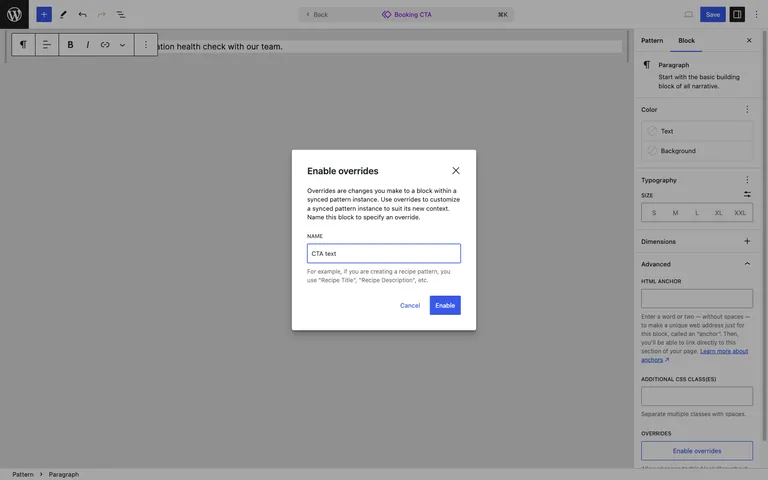
Synced patterns keep design consistent everywhere they’re used, but until now the content was locked too. WordPress 6.6 adds overrides for synced patterns: mark Heading, Paragraph, Button, or Image blocks inside a pattern as editable, and every instance keeps the same design while carrying its own content. A call-to-action pattern can finally say something different on every page without forking the pattern.
For agencies maintaining pattern libraries, this is the feature that makes synced patterns actually usable for real content.
Plugin auto-updates get a safety net
The reason many professionals leave auto-updates off is simple: a bad update can take a site down while nobody’s watching. In 6.6, WordPress detects a PHP fatal error caused by a plugin auto-update and automatically rolls the plugin back to the previous version. It removes the scariest failure mode of hands-off maintenance.
We’d still recommend staging for major updates, but for the long tail of small plugin bumps, this makes auto-updates a much easier call.
Mix and match your theme’s styles
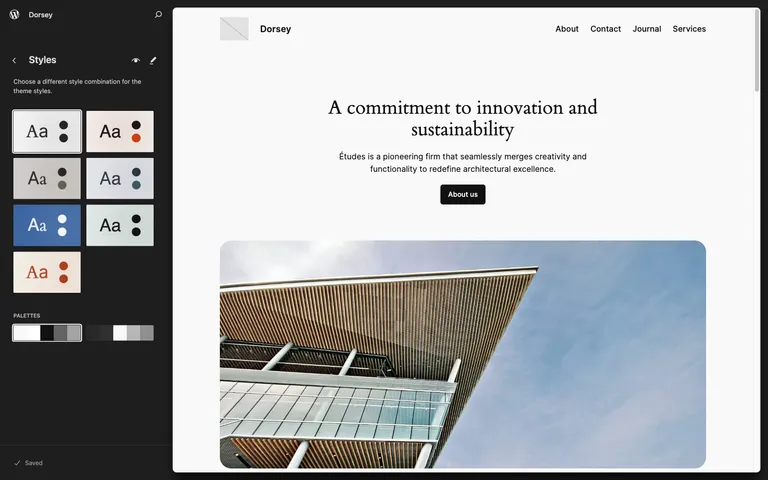
Style variations get more flexible: 6.6 generates color and font sets from all of a theme’s variations, so you can pair any variation’s palette with any other’s typography instead of taking each variation as a package deal. Twenty Twenty-Four alone turns into dozens of combinations.
The Site Editor grows a proper Pages view
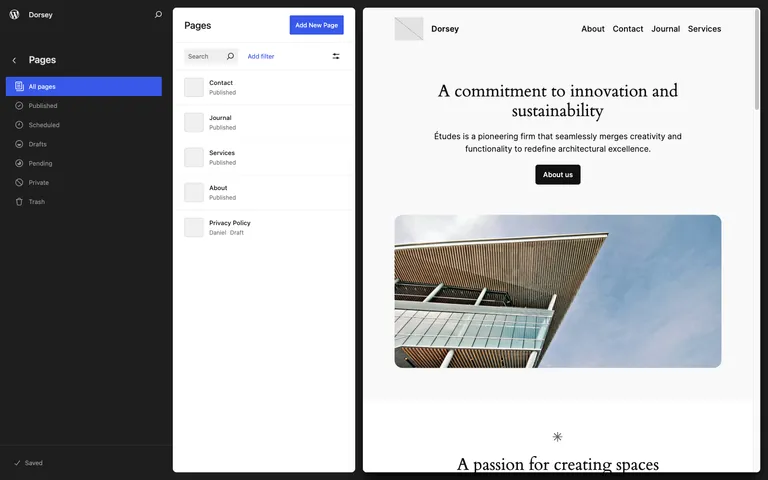
The Site Editor now shows all your pages side by side with a live preview of the one you’ve selected. Combined with the data views introduced in 6.5, managing content and design increasingly happens in one place instead of bouncing between wp-admin screens.
For developers
WordPress 6.6 merges eight Gutenberg releases (17.8 through 18.5). Worth flagging from the field guide:
- PHP 7.0 and 7.1 support is dropped. If you still have sites on museum-grade PHP, this is your prompt; the minimum is now PHP 7.2.
- Grid layout. A new layout type lets container blocks arrange children in a responsive grid, configurable via theme.json.
- Section styles. Themes can define reusable section styles that cascade to inner blocks.
- Block Bindings editing. Custom fields connected via block bindings are now editable right in the block.
- React housekeeping. A new React version and the new JSX transform land, prepping the editor for React 19.
- Async interactivity. The new
data-wp-on-asyncdirective yields to the main thread for better responsiveness.
Performance
The field guide counts 16 performance-focused tickets, with the headline being template loading: redundant theme JSON processing was removed and templates now load approximately 35% faster. Autoloading of large options was also reined in, and post embeds are lazy-loaded.
Updating to 6.6
- Back up your site, or confirm your host’s latest backup is current.
- If you have a staging site, update there first and click through your key pages and forms.
- Update from your WordPress dashboard under Dashboard → Updates, then retest the front end.
On Wordify you can create a fresh backup and a staging copy from your dashboard before updating, which turns a risky click into a reversible one.
Wrapping up
WordPress 6.6 is available now from your dashboard or wordpress.org. Pattern overrides will change how agencies build, but the auto-update rollback is the change your future self will thank you for at 3am. Which one matters more to you? Let us know in the comments.