
WordPress 6.7 “Rollins” Walkthrough: New Features and Updates
WordPress 6.7 arrived on November 12, 2024. Codenamed “Rollins” after the saxophone colossus Sonny Rollins, it ships more than 340 enhancements and fixes from over 780 contributors, more than 230 of them contributing for the first time.
This is a design and workflow release. The headline is a new default theme that’s really nine themes in a trench coat, backed by a new way to build pages from patterns and long-requested control over typography. Here’s what’s new and what it means in practice.
Twenty Twenty-Five: one theme, nine personalities
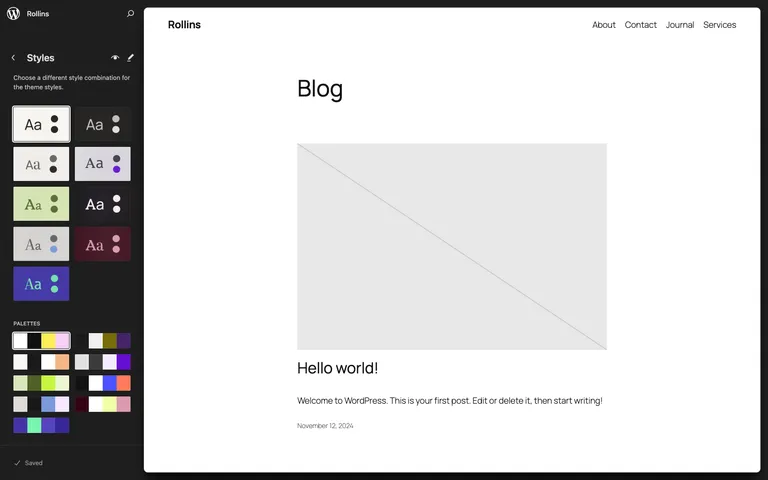
Twenty Twenty-Five ships with nine style variations: Default, Evening, Noon, Dusk, Afternoon, Twilight, Morning, Sunrise, and Midnight. Each pairs its own color palette with its own font combination, and here’s the clever part: every palette and every font pairing is also available as an individual preset, so you can mix the Midnight colors with the Morning typography if that’s your thing.
The default face is Manrope for both headings and body, with Beiruti, Fira Code, Fira Sans, Literata, Platypi, Roboto Slab, Vollkorn, and Ysabeau Office bundled as alternatives. Pattern coverage spans services, about pages, landing pages, products, calls to action, and events, which makes it a credible starting point for business sites, not just blogs.
Zoom Out: build pages from patterns
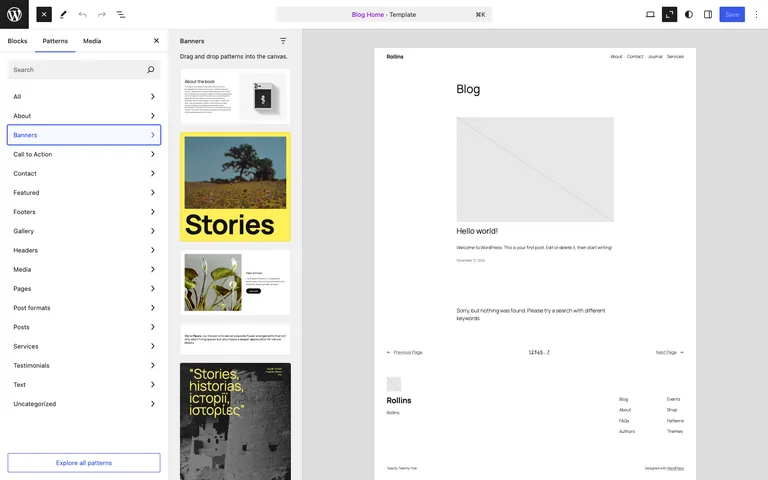
The new Zoom Out mode pulls the editor back to show your whole page at once, so you can add, shuffle, and remove entire patterns instead of poking at individual blocks. Combined with the pattern inserter it changes the rhythm of page building: pick section-sized pieces, arrange them, then zoom back in for the details. If you’ve ever assembled a landing page section by section, this is the view you wished you had.
Font size presets you can actually manage
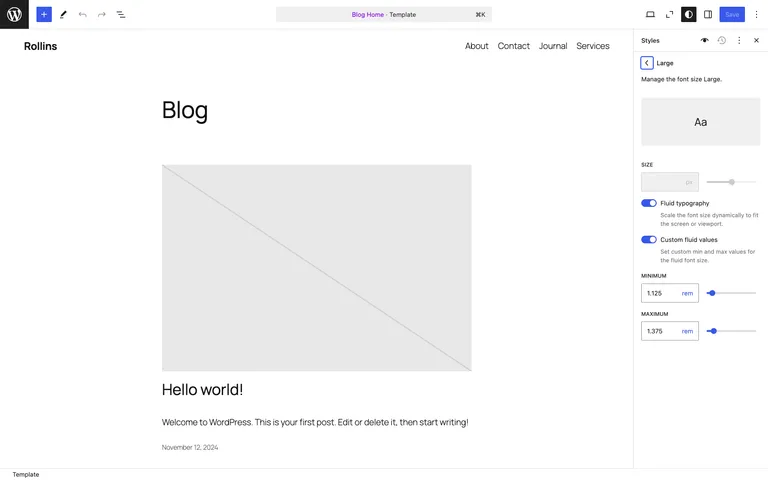
Until now the named font sizes in your theme (Small, Medium, Large and friends) were whatever the theme author decided. WordPress 6.7 adds a proper UI under Styles → Typography to create, edit, remove, and apply font size presets, with fluid typography so sizes scale smoothly between screen widths. For agencies enforcing a type scale across client sites, this replaces a chunk of theme.json editing with a visual control.
Connect blocks to custom fields
Building on 6.5’s Block Bindings API, 6.7 adds a UI for connecting blocks to custom fields. A heading, paragraph, or image can pull its content from post meta without a line of code, and bindings now work on the Widgets screen too. It’s early days, but this is WordPress steadily absorbing a job that used to require a developer and a page builder.
Pages, managed from inside the Site Editor
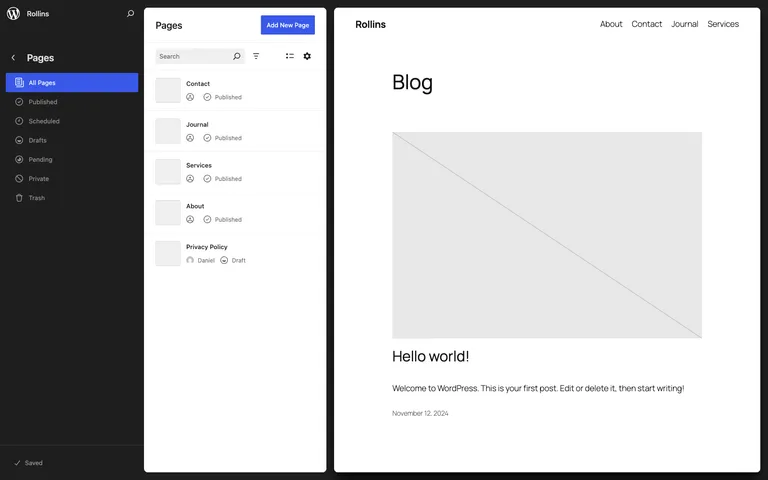
The data views for Pages, Patterns, and Templates keep maturing, with optimized previews and quick status filters. Managing a site’s pages side by side with a live preview is quietly becoming one of the Site Editor’s best workflows.
Your iPhone photos just start working
Small feature, outsized real-world impact: WordPress 6.7 automatically converts HEIC images to JPEG on upload. HEIC is the iPhone’s default photo format, and “why won’t my photo upload properly” has been a support staple for years. Now the Media Library quietly handles it.
For developers
Eight Gutenberg releases (18.6 through 19.3) merge into core with 6.7. The field guide highlights:
- Template registration for plugins. New
register_block_template()andunregister_block_template()functions let plugins register block templates, previously a themes-only privilege. Templates only for now, not template parts. - Faster block registration.
wp_register_block_metadata_collection()lets plugins register block metadata in one collection instead of parsing ablock.jsonfile per block. - Interactivity API. You can now subscribe to state and context changes during client-side navigation, and script module dependencies got smarter.
- Editor preview tooling. The
isPreviewModeflag is stabilized, and the preview dropdown is extensible.
On the platform side, the hosting team recommends PHP 8.2 or 8.3 for 6.7, with PHP 8.3 and the just-released 8.4 rated beta compatible.
Performance
The honest summary: front-end benchmarks for 6.7 are roughly flat against 6.6, so don’t expect a visible speed jump. The concrete win is for image-heavy sites: AVIF generation is up to 20% faster, and lazy-loaded images now get sizes="auto", letting browsers pick the right image size for the actual layout. Global styles CSS is also now cached, chipping away at a known block-theme overhead.
Updating to 6.7
- Back up your site, or confirm your host’s latest backup is current.
- If you have a staging site, update there first and click through your key pages and forms.
- Update from your WordPress dashboard under Dashboard → Updates, then retest the front end.
On Wordify you can create a fresh backup and a staging copy from your dashboard before updating, which turns a risky click into a reversible one.
Wrapping up
WordPress 6.7 is available now from your dashboard or wordpress.org. For us the sleeper hit is HEIC conversion (support tickets, begone), but Zoom Out is the feature we expect to change how people actually build pages. Which one wins for you? Let us know in the comments.