
WordPress 6.8 “Cecil” Walkthrough: New Features and Updates
WordPress 6.8 landed on April 15, 2025. Codenamed “Cecil” after Cecil Taylor, the pianist who reimagined the piano as a percussive instrument, it brings more than 320 enhancements and fixes from over 900 contributors across more than 60 countries, including 250+ first-time contributors and more than 100 accessibility fixes.
This is a refinement release, and we mean that as a compliment. There’s no flashy centerpiece; instead the two most important changes are invisible: your site can start loading the next page before visitors click, and passwords are now dramatically harder to crack. Here’s the walkthrough.
Speculative loading: the next page starts before the click
WordPress 6.8 ships built-in speculative loading. Using the browser’s Speculation Rules API, your site can prefetch or prerender a page when a visitor hovers over or starts clicking a link, so the next page appears near-instantly. The defaults are conservative and developers can tune the behavior, but for most sites it just works with no setup.
One honest caveat: this speeds up moving between pages, not the first page load, so you won’t see it in a standard single-page benchmark. What visitors feel while browsing is another matter.
Passwords move to bcrypt
WordPress has hashed passwords with the aging phpass scheme for many years. As of 6.8, bcrypt is the default password hashing algorithm, which takes vastly more computing power to brute-force. The rollout is painless: every account is rehashed automatically at the next successful login, and application passwords and security keys get stronger hashing too. Nobody has to reset anything.
The Style Book, redesigned and open to classic themes
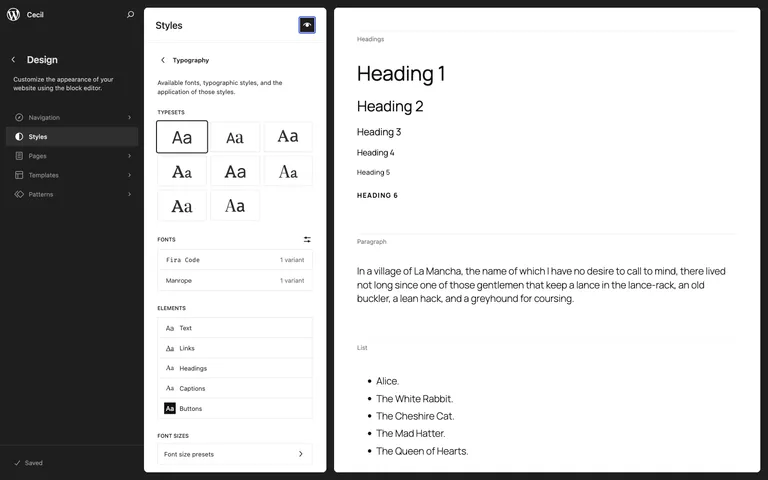
The Style Book gets a new, structured layout with clearer labels, making it easier to audit how every block and element looks in one place. The bigger news: it now works with classic themes that ship editor styles or a theme.json file, not just block themes. If you maintain long-lived classic client sites, you finally get the same at-a-glance design overview block themes have had since 6.2.
Query Loop: sticky posts, your call
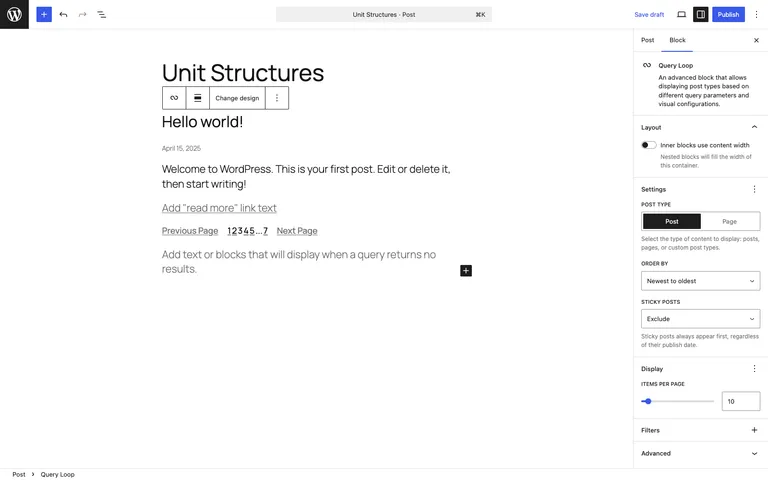
A small change that ends a long-running annoyance: the Query Loop block can now exclude sticky posts (or show only them). Anyone who has built a “latest posts” section and watched a sticky post squat at the top of it knows exactly why this matters.
Data Views keep maturing
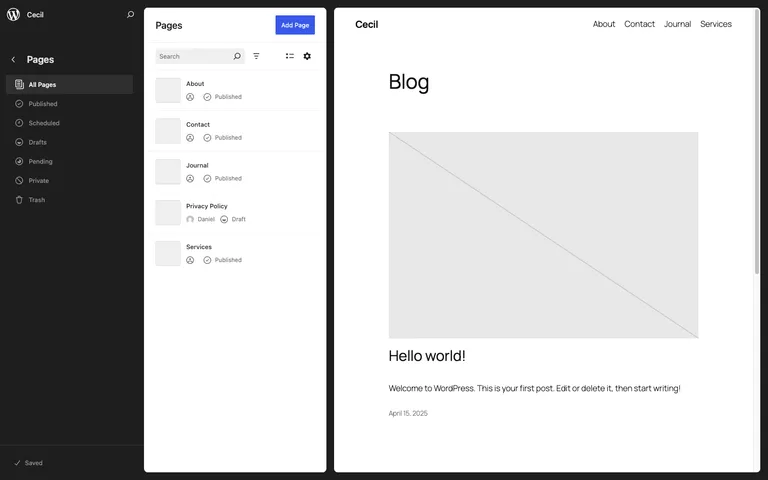
The Data Views interface that powers Pages, Patterns, and Templates in the Site Editor picked up easier navigation and general polish across its table, grid, and list layouts. Each release moves this closer to being a genuinely pleasant way to manage content at scale.
For developers
WordPress 6.8 merges Gutenberg 19.4 through 20.4, which on their own account for 387 enhancements and 525 bug fixes. From the field guide:
- Speculation Rules under the hood. New
WP_Speculation_RulesandWP_URL_Pattern_Prefixerclasses inwp-includes/speculative-loading.php, with filters to adjust eagerness or opt out. - On-demand block assets. The new
should_load_block_assets_on_demandfilter controls whether block assets enqueue only when actually used. - REST menu access.
rest_menu_read_accesslets you control public REST API exposure of navigation menus. - Query Total block. A new block for displaying result counts alongside a query.
- Housekeeping. The
setted_transientaction is renamed toset_transient, and installs now explicitly require the PHPhashextension (part of the bcrypt work).
Performance, honestly
We won’t dress this up: the core team’s own benchmarks for 6.8 show single-page load times essentially flat against 6.7, with a regression in the neighborhood of 2% on the bundled themes. The performance story of this release is speculative loading, which those benchmarks explicitly can’t measure because it only helps when navigating between pages. Server-side, query caching got incremental fixes. If a post tells you 6.8 made everything X% faster, check their sources.
Updating to 6.8
- Back up your site, or confirm your host’s latest backup is current.
- If you have a staging site, update there first and click through your key pages and forms.
- Update from your WordPress dashboard under Dashboard → Updates, then retest the front end.
On Wordify you can create a fresh backup and a staging copy from your dashboard before updating, which turns a risky click into a reversible one.
Wrapping up
WordPress 6.8 is available now from your dashboard or wordpress.org. Our take: the least glamorous release in a while, and one of the most worthwhile. Stronger password hashing and near-instant page navigation are the kind of upgrades every site benefits from without anyone lifting a finger. Which change matters most to you? Let us know in the comments.