
WordPress 7.0 “Armstrong” Walkthrough: New Features and Updates
WordPress 7.0 arrived on May 20, 2026. Codenamed “Armstrong” after Louis Armstrong, the man who taught jazz to improvise, it delivers more than 420 enhancements and fixes from over 875 contributors, including 200+ first-timers, with 21+ hosts testing pre-release builds.
A version number like 7.0 sets expectations, and this release mostly earns them: AI lands in core as infrastructure rather than gimmick, the Command Palette becomes standard equipment everywhere in the admin, and the minimum PHP version finally moves. Here’s what’s actually in it.
AI arrives in core, the WordPress way
WordPress 7.0 ships an AI Client in core: a standard way for WordPress to talk to generative AI models, with a central hub for managing connections to external providers and three presets to start from. It builds on 6.9’s Abilities API, now paired with a client-side abilities package, so plugins can expose site actions that AI tools can safely use.
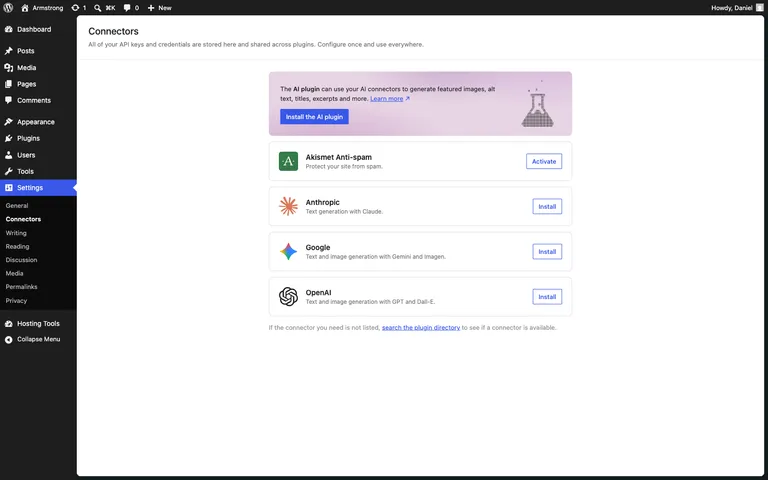
Notably, core stays unopinionated: the flashy features (image generation and editing, title and excerpt suggestions, alt text) live in a new optional AI plugin, not in core itself. Core provides the plumbing; you decide what flows through it. You can see the split on the new Settings → Connectors screen: core ships the connection presets (Anthropic, Google, OpenAI), while a banner points to the separate AI plugin for the actual features. That’s the right architecture, and it means hosts and agencies can adopt AI features deliberately instead of having them switched on overnight.
The Command Palette, everywhere
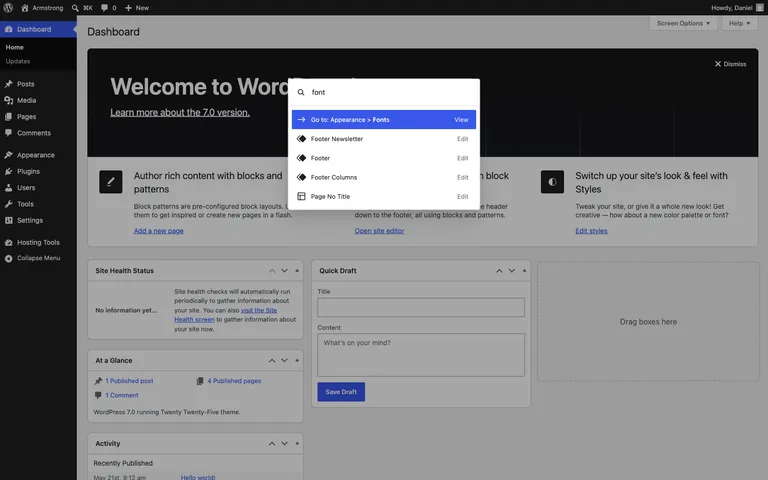
The Command Palette is now standard equipment across the whole admin. Press Ctrl + K (Cmd + K on a Mac) from any screen to jump to settings, content, patterns, or actions without hunting through the menu. Alongside it, 7.0 continues to modernize the dashboard experience. If you live in wp-admin all day, keyboard-first navigation is the change you’ll feel first.
Fonts for every kind of theme
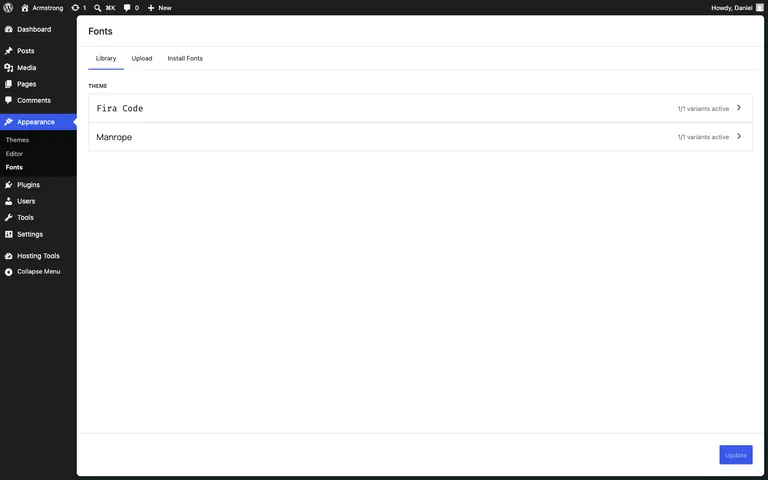
The Font Library grows into a dedicated font management page that works with block, hybrid, and classic themes. Font management stopped being a block-theme perk; every WordPress site now gets it.
Editing and design improvements
- Visual revision scrubbing. Drag through a post’s history with markers at each editorial change, instead of diffing side-by-side guesswork.
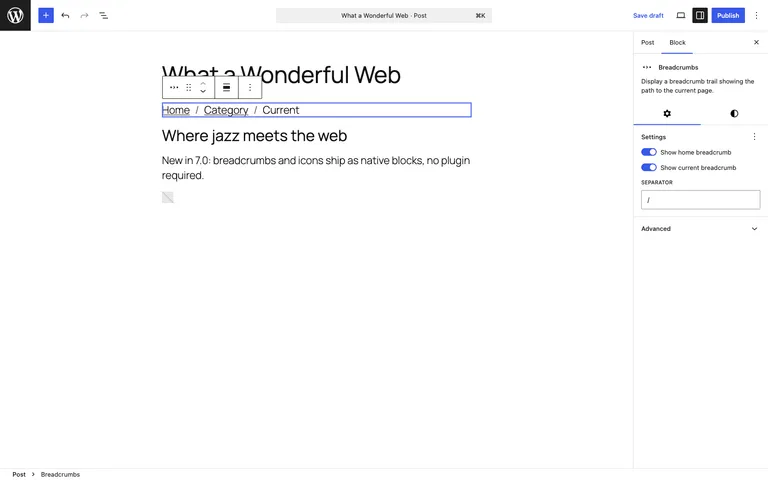
- New blocks. Breadcrumbs and Icons arrive as core blocks, and the Gallery block gains a lightbox slideshow.
- Responsive visibility controls. Show or hide blocks per device size from the block settings, a page-builder staple finally native.
- Menu overlays. The navigation overlay is now fully designable with blocks and patterns.
For developers
- Blocks and patterns in PHP. Simple blocks and patterns can now be created server-side in PHP with auto-registration, no JavaScript build step required. This lowers the barrier for the enormous population of PHP-first WordPress developers.
- Site Editor extensibility. Routing with validation and the new
wordpress/bootpackage let you build custom Site Editor pages. - PHP floor rises. Support for PHP 7.2 and 7.3 is dropped; PHP 7.4.0 is the new minimum, with PHP 8.3+ recommended. If your sites run PHP 8.x already, nothing changes.
- Abilities everywhere. The Abilities API pairs with a JavaScript counterpart, making site capabilities addressable from both sides.
No new default theme
Like 6.9 before it, WordPress 7.0 skips the annual default theme; Twenty Twenty-Five continues as the bundled default, with the release effort going into the Site Editor, design controls, and responsive behavior instead. Given how far style variations have come, we think that’s the right trade.
Updating to 7.0
A x.0 release deserves extra care, mostly because plugin compatibility churn is bigger than usual:
- Check your critical plugins declare 7.0 compatibility, and confirm your PHP version is 7.4 or above (ideally 8.3+).
- Back up your site, then update a staging copy first and click through your key pages, forms, and checkout flows.
- Update production from Dashboard → Updates, then retest the front end.
On Wordify you can create a fresh backup and a staging copy from your dashboard before updating, which turns a risky click into a reversible one.
Wrapping up
WordPress 7.0 is available now from your dashboard or wordpress.org. The Command Palette is what you’ll reach for daily; the AI plumbing and PHP-first block authoring are what will matter in two years. What’s your read on 7.0? Let us know in the comments.