
Case study: how Automated Safe Updates handled a bad Elementor release and WordPress 7.1.3
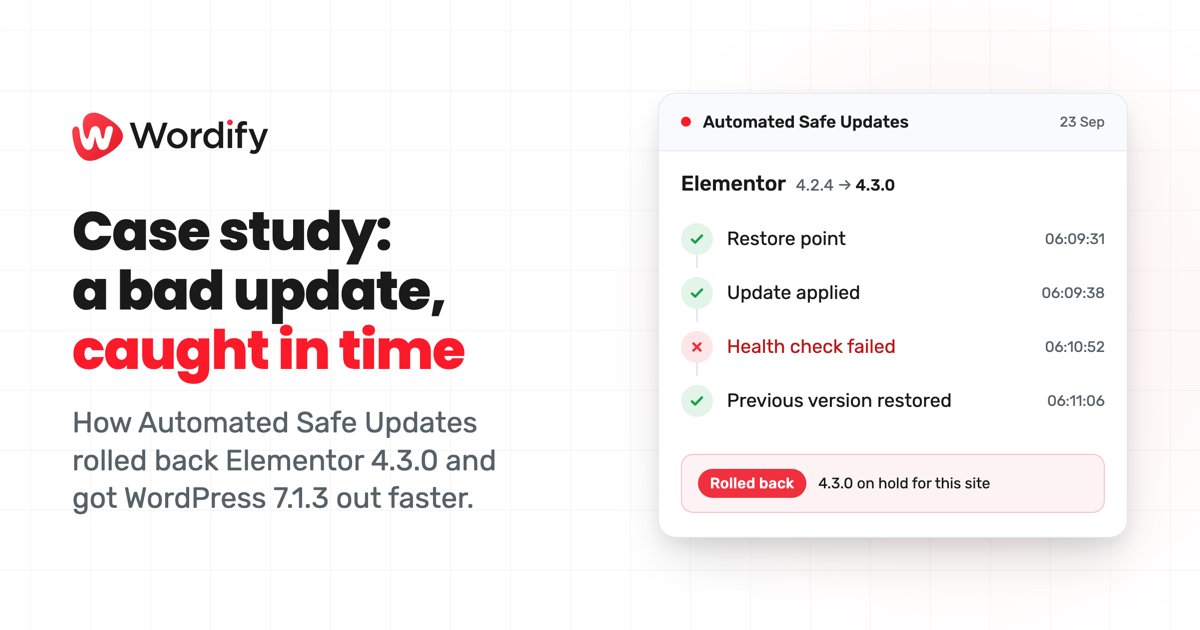
Turn the sound on for the voiceover.
Background
Wordify hosts WordPress sites for agencies, freelancers and businesses. On September 10, 2026, we made Automated Safe Updates available on every plan. It keeps plugins, themes and WordPress core up to date, and every update goes through the same four steps: we take a restore point and verify it, apply the update, load the site before and after and compare what comes back, and roll the site back if it fails that check.
This case study covers its first two real tests, both within a month of launch.
The challenge
Every site owner faces the same trade-off with updates. Apply them quickly and you close security holes sooner, but you also take on every bad release the day it ships. Wait, and you stay exposed to vulnerabilities that already have a fix.
Between September 17 and October 6, WordPress shipped three security releases. In the middle of that run, Elementor shipped a release that took sites down.
Test 1: the Elementor 4.3.0 release
Elementor released 4.3.0 on September 22. On sites that also ran an older Elementor Pro (3.11 to 3.32), every page started failing with WordPress's "critical error" message. Our Elementor 4.3.0 post covers the error and the cause in detail.
Here's how it played out on sites with Automated Safe Updates switched on. Times are UTC.
- September 22, 22:38. The first site fails its check after taking 4.3.0. It's rolled back and 4.3.0 is put on hold for that site.
- September 23. Elementor releases 4.3.1. It has the same fault.
- September 23 to 24. 4.3.1 fails the check on almost all of the same sites. Each is rolled back and 4.3.1 is held too.
- September 24. Elementor releases 4.3.2, which fixes the fault.
- September 25 to 26. Most of the held sites move on to 4.3.2 through their normal update runs.
Results
- Without Automated Safe Updates, where WordPress's own auto-updater or a manual update installed 4.3.0, an affected site went down and stayed down until someone fixed it by hand. wp-admin broke along with every other page, so it couldn't be updated the normal way.
- With it, the site was rolled back and back up, typically in under two minutes.
- About 1 in 12 sites that received 4.3.0 failed the check. Those were the sites running an affected Pro version.
- From the update going in to the rollback finishing, the longest was just over three minutes.
- Every affected site was back up after its rollback.
- The sites without the problem took 4.3.0 and 4.3.1 as normal. A release is held only on the sites where it fails.
- No one, on our side or the customer's, had to step in.
Test 2: the WordPress 7.1.3 security release
WordPress 7.1.3 came out on October 6 with seven security fixes, and WordPress recommended updating immediately. By default, Automated Safe Updates doesn't hold a security fix back for a site's update window, so 7.1.3 started going out as soon as we picked it up.
90% of the sites getting the update were updated within a 43-minute window, measured from when the first 5% were done to when 95% were done.
That's the result of work done during the month. We changed how updates are spread across our servers and added capacity so more run at once. When 7.1.2 came out on September 22, the same window was 71 minutes. For 7.1.3 it was 43, 39% less time.
Results
- 90% of the sites getting 7.1.3 were updated within a 43-minute window, 39% less time than 7.1.2.
- Across the first month, 98% of security updates went out straight away instead of waiting for the site's update window.
What's next
On 7.1.3, the first sites were updated about two hours before that 43-minute window began, because most sites hadn't yet reported the new release to us. We're working on picking up new WordPress releases sooner, so security fixes start going out earlier.
Turn it on for your sites
Automated Safe Updates is switched on per site, so it only protects the sites you turn it on for. It's included on every plan at no extra cost.
- Open the site, then under WordPress select Updates.
- Use the switch on the Automated Safe Updates card.
Running a portfolio? Open Sites, tick the sites you want, open Actions, and choose Turn on Automated Safe Updates. The setup guide covers your update window, core policy and security timing.