
Talk to your hosting: manage WordPress in plain English
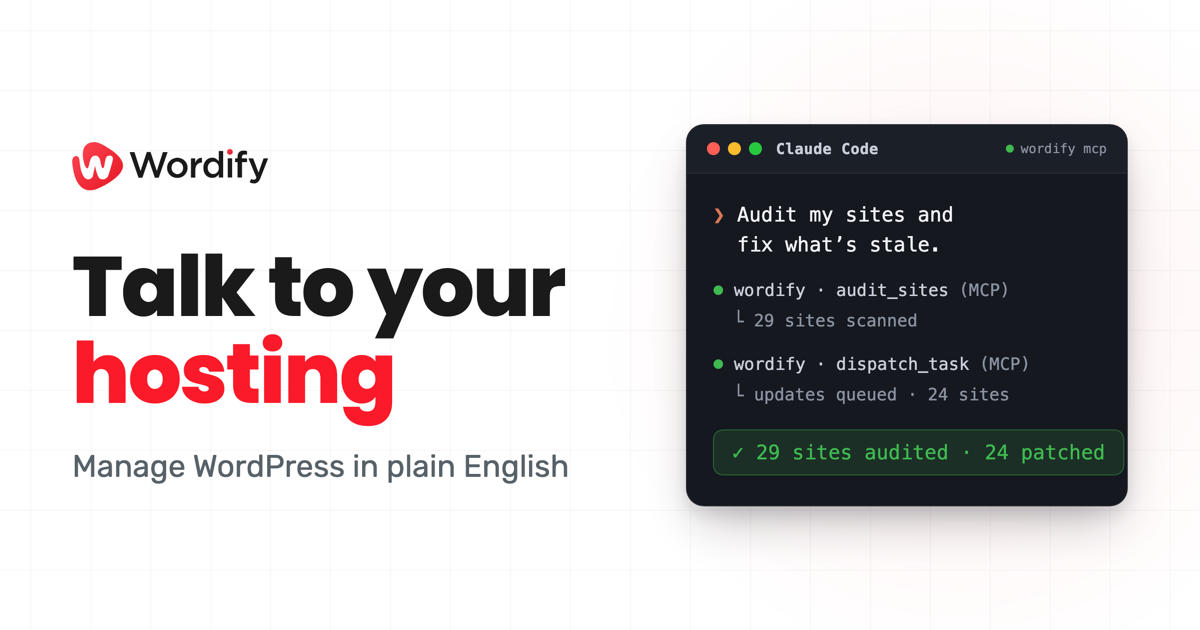
You can now connect Wordify to the AI tools you already use, like Claude and ChatGPT, and manage your hosting by just asking. Spin up a staging site, run a backup, update PHP, or read an error log, all in plain English. It's live today for every Wordify customer, included with your plan.
What you can do
Connect your AI assistant once, then ask for what you need. A few examples:
- "Clone this site to staging so I can test a plugin update."
- "Why is example.com returning a 500? Check the debug log."
- "Update PHP to 8.4 on all my sites."
- "Take a backup before I make changes."
Your assistant carries out the action in your Wordify account and reports back. No dashboards to dig through, no commands to memorise.
Beyond a simple API
Plenty of tools can wrap an API. We went further. These are first-party tools we built specifically for AI agents, designed around the jobs you actually do rather than a list of endpoints.
The clearest example is fleet management. Ask your assistant to audit your sites and it runs a single check across every site you manage: stale plugins, themes, and core, PHP behind the recommended version, SSL or DNS problems. It comes back with the issues grouped and the fixes ready to dispatch across the whole fleet, in one request. If you look after dozens of client sites, that's a job that used to take an afternoon, reduced to a sentence.
You stay in control
Letting AI near your hosting only works if it's safe, so we built the guardrails in from the start:
- Your permissions, not new ones. Every action mirrors the team role you already have. If you can't do something in Console, neither can your assistant.
- Some things stay human. Deleting a site, suspending it, changing billing, and managing your team are deliberately not available to AI. They stay in Console.
- Everything is logged. Each action is recorded under your account and appears in your Activity Log. Connecting and disconnecting is logged too.
- Disconnect in one click. Revoke any assistant instantly and its access ends immediately.
Works with the AI you already use
You can connect Claude (including Claude Code and Claude Desktop) and ChatGPT today. Connecting takes one click: you approve access with OAuth, so there are no API keys to copy and nothing to install.
Get started
It's included with your hosting, so there's nothing to buy. Open Console, connect your assistant, and ask it to do something.
If you're still working out what belongs in your stack, our guide to the best AI tools for WordPress covers the plugins and connectors worth knowing about, this one included.
Prefer to read first? Read the quickstart. Questions? Just reach out, we're happy to help.