
The 10 best AI tools for WordPress in 2026
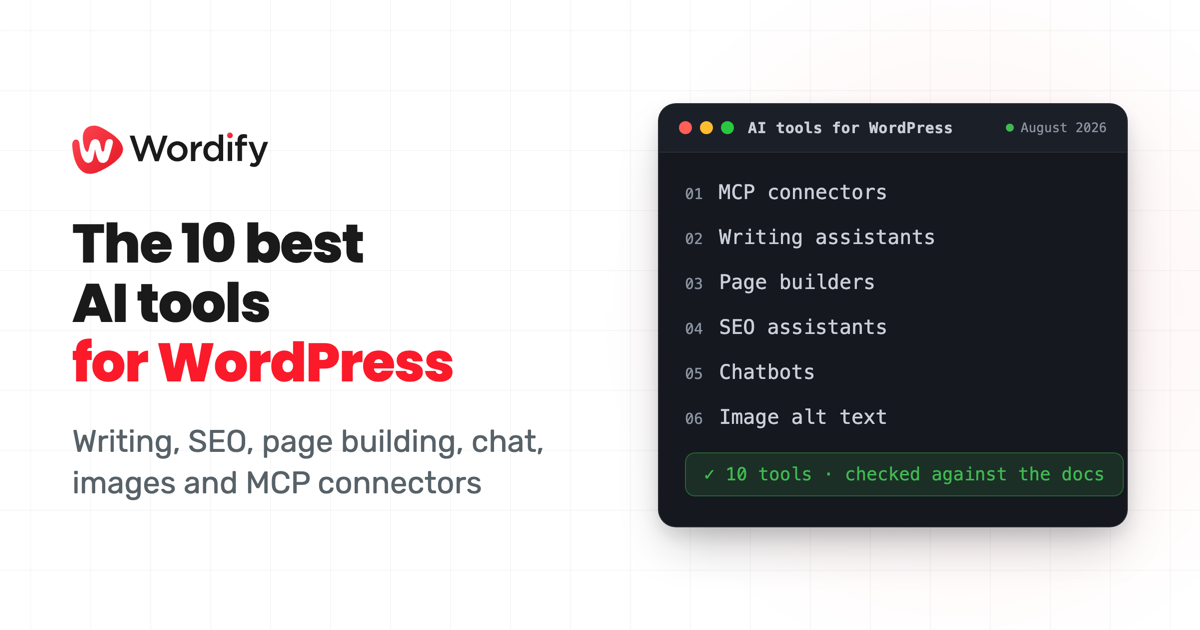
For most people, AI turned up in WordPress through plugins they were already running. Yoast and Rank Math put it in the SEO panel, Elementor and Divi put it in the page builder, Jetpack put it in the editor. More recently a different kind of tool has appeared: connectors that let an AI assistant work on the site itself, so it makes the change instead of suggesting one.
Which one you want depends on the job in front of you, so that's how this list is ordered rather than by a score. One of the ten is ours, and we say so when we get to it.
How we picked
Four things had to be true of every tool here. It had to be actively maintained, which we checked against version numbers and release dates rather than assumed. It had to be usable today, not a waitlist or a research preview. It had to document what it actually does, so we could check the claims rather than infer them from the marketing. And it had to earn its place on a job people genuinely do, rather than on having AI in the name.
Beyond that we picked for coverage rather than volume: one or two tools per job, so the list spans the work instead of stacking up six writing assistants. Every claim below was checked against each tool's own site, documentation, or WordPress.org listing on August 26, 2026, and anything we couldn't verify was cut rather than hedged. Pricing changes too often to print, so the table links each tool's pricing page instead.
What this isn't is a hands-on bake-off. We haven't scored output quality or run these side by side on the same site, and we'd rather say so than imply testing we didn't do. So treat the numbering as a reading order grouped by category, not a scorecard: the right tool depends on the job in front of you.
The 10 tools at a glance
| # | Tool | Best for | Where it runs | Pricing (as at August 2026) |
|---|---|---|---|---|
| 1 | Wordify AI connector + Content Tools | Managing hosting and content together from Claude or ChatGPT | Built into Wordify hosting, nothing to install | Included on every Wordify plan |
| 2 | WPVibe | Connecting AI assistants to a self-hosted WordPress site | WordPress plugin | Free plugin, paid plans raise usage limits |
| 3 | WordPress.com MCP server | AI access to sites hosted on WordPress.com | Built into WordPress.com, nothing to install | Included on paid WordPress.com plans |
| 4 | Jetpack AI Assistant | Drafting and editing inside the block editor | WordPress plugin (part of Jetpack) | Free tier, paid plan for higher usage |
| 5 | Elementor AI (Angie) | Generating layouts, copy, and code inside Elementor | Inside the Elementor page builder | Free plan with daily credits, paid plans |
| 6 | Divi AI | Generating pages, copy, images, and code inside Divi | Inside the Divi builder | Paid add-on, bundled with Divi Pro |
| 7 | Rank Math Content AI | SEO-guided writing and optimisation in Rank Math | WordPress plugin (part of Rank Math) | Paid plans with monthly limits, small free taster |
| 8 | Yoast SEO AI features | AI titles, meta descriptions, and SEO suggestions in Yoast SEO | WordPress plugin (part of Yoast SEO) | Generative features need Yoast SEO Premium or higher |
| 9 | AI Engine | Chatbots and connecting your choice of AI model to WordPress | WordPress plugin | Free plugin, paid Pro, bring your own API keys |
| 10 | AltText.ai | Generating alt text for images automatically | WordPress plugin + web service | Credit-based plans, 25 free credits to start |
1. Wordify AI connector and Content Tools
Full disclosure up front: this one is ours, so read it as a maker's description and check the AI feature page for the details.
Wordify is a managed WordPress host that runs an MCP server, so the connector lives at the hosting layer rather than in a plugin. There's nothing to install on your sites: you connect Claude or ChatGPT once with a single OAuth approval, and the connection covers every WordPress site on your Wordify team. From there your assistant can work the hosting side (create and clone sites, staging, backups, PHP versions, caches, debug logs, and fleet-wide audits) and, with Content Tools switched on, the content side too: draft and edit posts, build whole pages in Gutenberg blocks or HTML, install and switch themes, adjust a block theme's colours, typography, templates and navigation, and run find and replace inside a single post or page. Hosting and content sit in the same conversation, so "upgrade the sites still on PHP 8.1, then draft a note for each client" is one request.
New posts save as drafts unless you ask your assistant to publish, every edit creates an ordinary WordPress revision, and deletes go to the trash. Content Tools stays off until a team Owner or Team Admin switches it on. The connector works with Claude, Claude Code, Claude Desktop, and ChatGPT, offered 51 tools as at August 20, 2026, and is included on every Wordify plan at no extra cost. The quickstart guide covers setup with screenshots.
It's on this list for people running more than one site, where a plugin per site and a connection per site start to add up, and for anyone who wants the hosting and the content in the same conversation.
2. WPVibe
WPVibe, from the team behind SeedProd, is an MCP server plugin for self-hosted WordPress: install it on a site and any MCP-compatible assistant (Claude, ChatGPT, Cursor, Windsurf and others, per the plugin page) can create and manage posts, pages, media, comments, users, and taxonomies through the REST API. It adds more than 40 WP-CLI style commands emulated through PHP, so they work on shared hosting without shell access, plus theme file editing through a draft-and-preview sandbox where nothing is published until you approve it. Risky actions pause for an approval panel in the chat, backed by an append-only log.
The plugin is free, with paid plans that raise the daily allowance of WordPress actions; WPVibe doesn't charge for AI inference. It's per site by nature, which is the right shape if you self-host a handful of sites and want an AI connection into each. As at August 2026 the WordPress.org listing shows 10,000+ active installations and a current release a few days old.
3. WordPress.com MCP server
If your site lives on WordPress.com, the platform runs its own MCP server: no plugin and no infrastructure, with more than 60 tools covering posts, pages, plugins, themes, and users, behind an OAuth 2.1 connection with read and write toggles per ability. Any MCP-compatible agent can connect, and there's an official Claude connector along with setup guides for ChatGPT, Cursor, and VS Code. One nuance worth knowing from their announcement: the Claude connectors-directory integration is read-only access to your site content, while the full MCP server is what reads and writes. It's maintained by Automattic and available on paid WordPress.com plans.
4. Jetpack AI Assistant
Jetpack AI Assistant is Automattic's writing assistant inside the block editor, and it's the natural pick if you want AI in the editor you already use rather than a new surface. An AI block generates content, lists, and tables in place; the assistant changes tone, translates, summarises, and expands; it flags long sentences and spelling and grammar slips with corrections you accept or ignore; and it can generate images and featured images for a post. It ships as part of the Jetpack plugin, which shows 3+ million active installations on WordPress.org as at August 2026. There's a free allowance of 20 requests, then a paid plan with high request capacity; current prices are on the Jetpack AI page.
5. Elementor AI (Angie)
Elementor's AI is now fronted by Angie, which Elementor describes as agentic AI for WordPress sites. Describe the page you need and it builds the complete Elementor layout, generating a starting design system of colours, fonts, and reusable classes along the way. Angie Code creates Elementor widgets, WordPress snippets, and custom post types, an AI form builder assembles working forms (Elementor Pro required), and a Super Admin Mode runs bulk operations and debugging through chat. If your sites are built on Elementor, this is AI that speaks the builder's native language. There's a free plan with daily-renewing AI credits, and paid Elementor plans draw AI usage from a shared credit pool; see Elementor's pricing.
6. Divi AI
Divi AI is Elegant Themes' equivalent for the Divi builder: it designs layouts and entire pages from a prompt, composes titles, paragraphs, and blog posts, generates and edits images (including selecting part of an image and modifying just that region), and writes code and custom CSS in the Visual Builder. Elegant Themes says it's been fine-tuned on the Divi module codebase, so what it produces lands as native Divi modules rather than generic markup. It's a paid add-on with a flat fee covering unlimited AI-generated text, code, and imagery, it's bundled into the Divi Pro membership, and existing Divi customers can use it free in a limited capacity to try it; details are on the Divi AI page. If Divi is where you build, that's the case for using it over a general-purpose AI tool: what comes out arrives as Divi modules.
7. Rank Math Content AI
Content AI is the AI layer inside Rank Math, the SEO plugin with 4+ million active installations on WordPress.org as at August 2026. It brings 40+ AI tools into the editor, writes in 30 languages, bulk-generates SEO titles and meta descriptions, generates alt text for images, and offers one-click fixes for failed SEO tests, plus RankBot, a chat assistant for SEO questions. Rank Math states Content AI uses the OpenAI API along with other sources. It's sold as paid plans with monthly usage limits and a small free taster; current tiers are on the Content AI pricing section. It earns its place if you already run Rank Math and would rather do the writing and the SEO work in one panel than draft somewhere else and paste it back.
8. Yoast SEO AI features
Yoast's AI offering is a set of named features inside Yoast SEO, the plugin with 10+ million active installations on WordPress.org as at August 2026. AI Generate drafts titles and meta descriptions, AI Optimize suggests improvements against selected SEO checks, AI Summarize turns long content into editable takeaways, and the Bulk Editor drafts metadata across many posts with you approving every change. The approval-first framing is deliberate: Yoast's line is that nothing goes live without your say. On the top tier, AI Brand Insights reports what ChatGPT, Claude, Gemini, and Perplexity say about your brand. The generative features require Yoast SEO Premium or higher; plans are in the Yoast shop. The Bulk Editor is the reason to look at this one if you've inherited a site with hundreds of posts and no metadata, and the approval step means you're reviewing the output rather than trusting it blind.
9. AI Engine
AI Engine is the tinkerer's pick: a free plugin (100,000+ active installations as at August 2026) that connects WordPress to the AI providers of your choice, with built-in connectors for OpenAI, Anthropic, Google, Mistral, OpenRouter, and more, including local models through an OpenAI-compatible endpoint. You bring your own API keys and pay the provider directly. On top of that sit customisable chatbots for your visitors, content and image generation, and a full-screen AI workspace in wp-admin. It's also in the MCP camp: the plugin can turn a site into an MCP server that Claude, Claude Code, and ChatGPT connect to, and the paid Pro version adds extra MCP tools, AI forms, and embeddings-backed knowledge bases.
10. AltText.ai
The narrowest tool on the list, and that's the point. AltText.ai generates image alt text: automatically on every upload, in bulk across an existing media library, from the command line via WP-CLI, in more than 130 languages, with focus keyphrases pulled in from SEO plugins like Yoast and Rank Math, and with product names included for WooCommerce images. Alt text is the accessibility and SEO chore that most sites quietly skip, so a tool that just does it earns its slot. Worth knowing: your image and site URL are sent to the AltText.ai API to generate the text. Plans are credit-based, one credit per image, with 25 free credits to start; see AltText.ai's pricing.
Common questions
What is the best AI tool for WordPress?
There is no single best tool, because they do different jobs. Pick by the job: an MCP connector if you want an AI assistant working on the site itself, a writing assistant for drafting in the editor, page builder AI if you already use Elementor or Divi, an SEO assistant for metadata and optimisation, a chatbot plugin for visitor-facing AI, and an alt text tool for images.
Can I connect Claude or ChatGPT to WordPress?
Yes, over MCP (Model Context Protocol). If your host runs an MCP server, as Wordify and WordPress.com do, you connect your assistant to the host with no plugin. On other hosting, an MCP server plugin such as WPVibe or AI Engine gives assistants a connection to that site.
What is MCP?
MCP stands for Model Context Protocol, an open standard that lets AI assistants like Claude and ChatGPT connect to other software. For WordPress, an MCP server exposes site actions as tools the assistant can use, so you can ask for changes in plain English instead of clicking through wp-admin.
Do I need a plugin to use AI with WordPress?
It depends where the AI runs. Host-level connectors need nothing installed on the site. Editor assistants, SEO assistants, chatbots, and MCP server plugins are installed per site like any other plugin.
Are AI tools for WordPress free?
Most are freemium: a free plugin or a small free allowance, with paid plans for real usage. AI Engine is a partial exception, since the plugin connects to AI providers with your own API keys and you pay the provider directly. Pricing changes often, so check each tool’s pricing page. Everything in this article was checked in August 2026.
Will an AI tool publish to my site without me?
The tools in this list generally keep a human in the loop, each in its own way. Check how the tool you pick handles publishing before you switch it on. Wordify’s Content Tools, for example, saves new posts as drafts unless you explicitly ask your assistant to publish.
Where to start
Start from the job, not the tool. If the writing is the bottleneck, a writing or SEO assistant inside the editor is the smallest change that helps. If you live in Elementor or Divi, their built-in AI will usually fit your workflow more naturally, because it speaks the builder you already use. And if what you actually want is an assistant that can work on the site itself, that's what MCP connectors do: a plugin-based server on self-hosted WordPress, or a host-level connector where your host runs one.
If your sites are on Wordify, the connector is already part of your hosting: the AI feature page has the full tool list, the Content Tools launch post covers the writing and site-building side, and the quickstart guide gets you connected in a few minutes.