
WordPress security in the age of negative-day exploits
For years, WordPress security advice rested on one comfortable assumption: there's a window between a vulnerability being disclosed and attackers exploiting it, and if you patch inside that window, you're fine.
That window is gone. In some cases it's now negative.
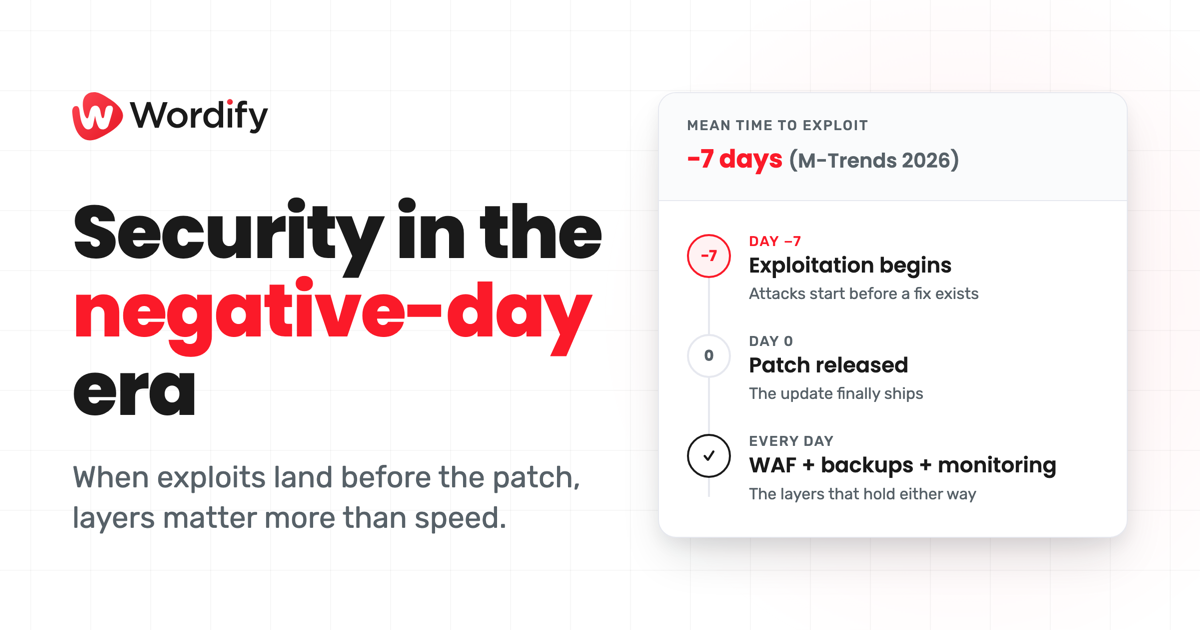
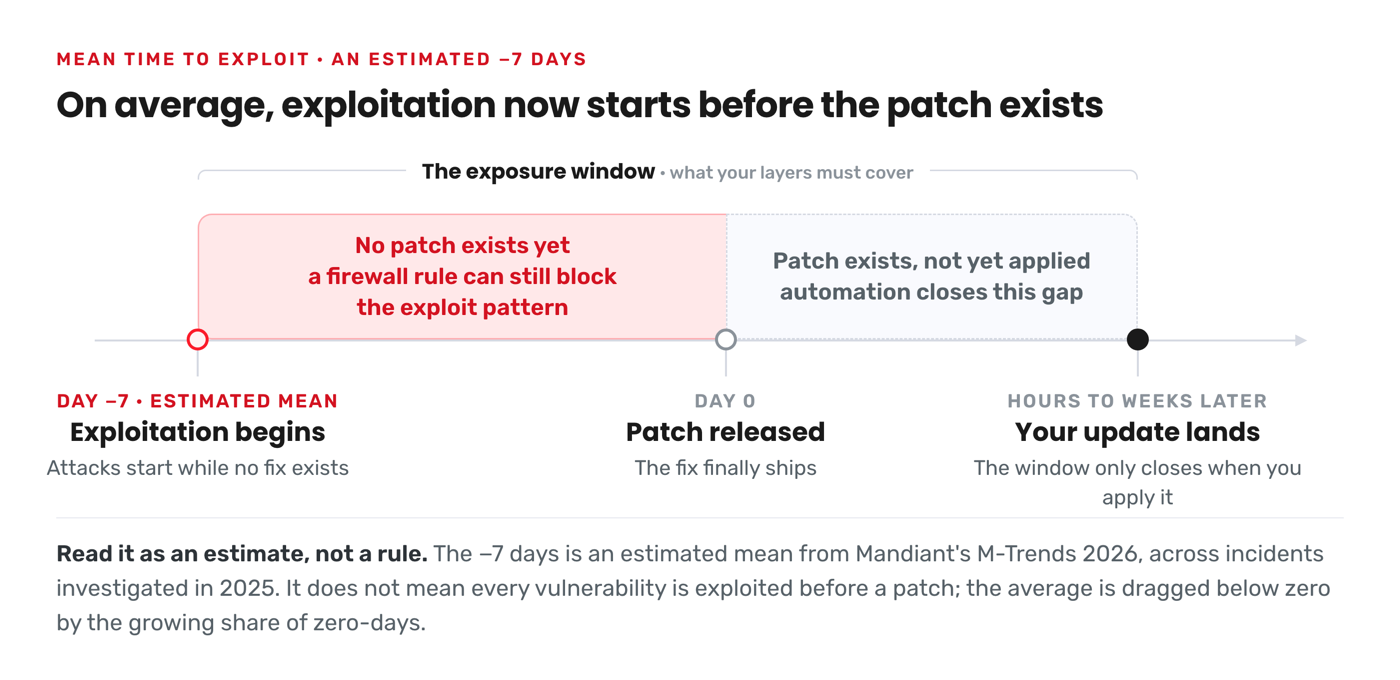
Mandiant's M-Trends 2026 report, published by Google Cloud and covering incident data from 2025, puts the estimated mean time-to-exploit at minus seven days. In the report's own words, "the mean time to exploit vulnerabilities dropped to an estimated -7 days, meaning exploitation is routinely occurring before a patch is even released."
Read that carefully, because it's easy to overstate. A negative mean doesn't mean every vulnerability is exploited before a patch exists. It's an average, dragged below zero by the growing share of zero-days: vulnerabilities attackers find and use before the vendor ships a fix. Google Threat Intelligence Group tracked 90 zero-days exploited in the wild in 2025, up from 78 in 2024. Plenty of vulnerabilities are still patched before anyone abuses them.
But the trend line is the point. On average, across real incidents Mandiant investigated, exploitation is no longer something that happens after the patch. It happens around it, and increasingly before it. "Patch promptly" is still necessary. It's just no longer sufficient.
What this looks like in the WordPress ecosystem
The negative-day problem isn't an abstract enterprise concern. WordPress, with its enormous plugin ecosystem, is one of the clearest examples of it.
Patchstack's State of WordPress Security 2026 whitepaper (updated February 2026, covering 2025 data from Patchstack's vulnerability database and its RapidMitigate telemetry) recorded 11,334 new vulnerabilities across the WordPress ecosystem in 2025. That's a 42% jump on the year before.
Three findings from that report matter more than the headline number:
- 91% of vulnerabilities were in plugins, with 9% in themes. WordPress core itself accounted for just six, all low priority. Your risk lives almost entirely in what you've installed, not in WordPress itself.
- 46% of vulnerabilities had no fix available when they were publicly disclosed. For nearly half of last year's vulnerabilities, "just update" wasn't an option on day one, because there was nothing to update to.
- Exploitation is fast. For heavily targeted vulnerabilities, Patchstack measured a median time to mass exploitation of five hours after disclosure, and roughly half of high-impact vulnerabilities were exploited within 24 hours.
Put those together and you get the WordPress version of the negative-day reality: a vulnerability in a popular plugin can be disclosed without a patch, and bots can be probing your site for it before you've finished your morning coffee.
Updates alone can't be your whole security plan
None of this means updates don't matter. They matter enormously, and slow patching is still how most sites get compromised. If a fix exists and you haven't applied it, you're carrying risk for no reason.
What the data does mean is that a security plan built entirely on "we update regularly" has a structural gap. It assumes a patch always exists and that you'll always apply it before attackers arrive. In 2026, neither assumption holds reliably.
So the goal shifts. Instead of only racing to patch, you need layers that protect you while no patch exists, limit the damage if something gets through, and let you recover quickly if the worst happens. Here's what that looks like in practice.
Seven hardening steps that still work when patches don't exist yet
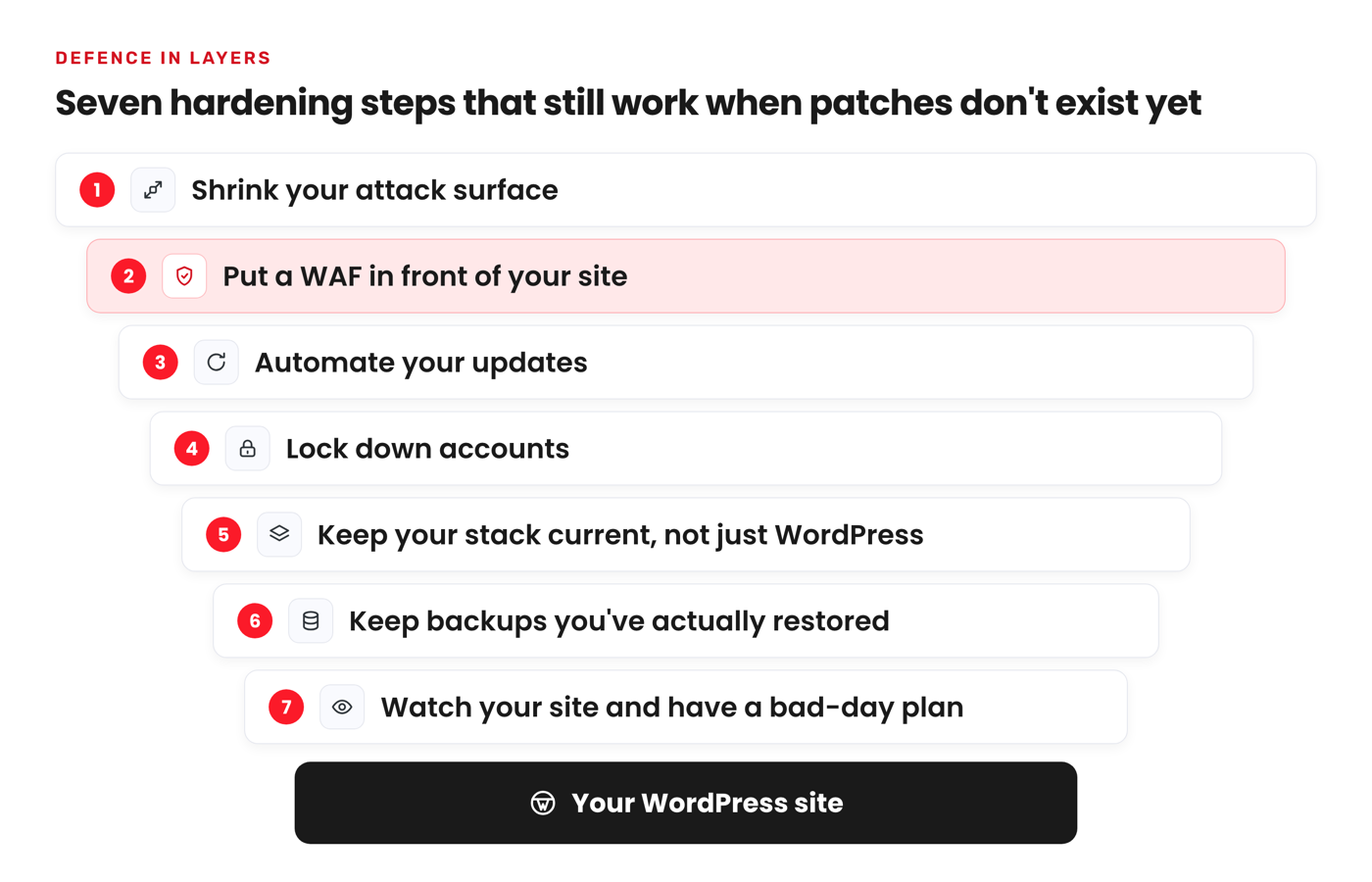
1. Shrink your attack surface
With 91% of vulnerabilities living in plugins, every plugin you install is a standing bet on someone else's code quality. Audit your plugin list quarterly. Delete (don't just deactivate) anything you're not using, because deactivated plugin code still sits on your server. Prefer actively maintained plugins with recent updates and a responsive developer, and consolidate where one well-built plugin can replace three abandoned ones.
2. Put a WAF in front of your site
A web application firewall inspects requests before they reach WordPress and blocks known attack patterns. This is the single most useful layer for the negative-day window, because a firewall rule can block the pattern of an exploit even when the vulnerable plugin has no patch yet. Look for a WAF that's WordPress-aware rather than a generic firewall, since WordPress attacks target specific endpoints and parameters that generic rulesets aren't tuned for.
3. Automate your updates
If a patch does exist, the difference between applying it in hours and applying it in weeks is the whole game. Manual updating across even a handful of sites doesn't reliably happen within a 24-hour exploitation window. Turn on automatic updates for core, plugins and themes wherever it's safe to, and use a staging site to test the updates that genuinely need human eyes before they hit production.
4. Lock down accounts
Plenty of compromises never touch a software vulnerability at all: they walk in through weak or reused passwords. Enforce strong, unique passwords and two-factor authentication for every account that can log in. Apply least privilege ruthlessly: authors don't need admin rights, and neither does the contractor who built your site two years ago. Remove accounts that are no longer used.
5. Keep your stack current, not just WordPress
An old PHP version stopped receiving security fixes long before it stops running your site. Keeping PHP on a supported version closes off a whole class of server-level issues, and newer versions are faster as well. The same logic applies to your database and server software, which is where your host either earns its keep or doesn't.
6. Keep backups you've actually restored
Backups are your floor: the guarantee that the worst case is an outage, not a total loss. Daily automated backups are the baseline, with an on-demand backup before every risky change. Two details separate real backup strategies from theatre: the backups are stored somewhere the attacker can't reach from your compromised site, and you've actually tested a restore. A backup you've never restored is a hope, not a plan.
7. Watch your site and have a bad-day plan
Malware scanning and file integrity monitoring turn "we were compromised for months" into "we caught it the same day". That gap matters: Mandiant's global median dwell time, the period attackers sit inside an environment before detection, rose to 14 days in the latest M-Trends data. Decide in advance who does what when something's wrong: where the logs are, how to restore, who tells clients. The middle of an incident is the worst time to design your response.
Where managed hosting fits in
You can absolutely run all seven layers yourself. The honest question is whether you will, on every site, every day, inside a five-hour exploitation window.
That ongoing operational load is the actual product of managed WordPress hosting, and it's how we think about security at Wordify. Every plan includes Protect AI, our WordPress security suite with a WordPress-specific WAF, antivirus and malware scanning. It's not an add-on you remember to buy later; it's in front of every site from day one, which is exactly where you want a firewall during the gap between disclosure and patch.
Around that sit the layers this post has been arguing for: automatic updates for WordPress core, plugins and themes, so the patches that do exist get applied without you carrying the pager. Automated daily backups plus on-demand backups before risky changes, with retention from seven to 30 days depending on your plan. One-click staging so you can test updates safely instead of skipping them. Free SSL on every site.
To be clear about what nobody can promise: no host, us included, can guarantee a zero-day will never affect a site you run. Anyone who claims otherwise is selling something. What a good host does is shrink the exposure window at every layer, watch your sites when you're not, and make recovery a one-click restore instead of a lost weekend.
The mindset shift for 2026
The negative-day era doesn't call for panic. It calls for a quieter, more structural change in how you think about WordPress security: from "patch fast" as the plan to "patch fast" as one layer among several, backed by a WAF for the window when no patch exists, tight account hygiene, tested backups, and monitoring that catches problems in hours rather than weeks.
Most of that is process, not heroics. And process is exactly the thing worth delegating.
If you'd rather have those layers running before the next disclosure window opens, move a site to Wordify. Migration is free and done for you, and if it's not a fit, there's a 100% money-back guarantee in your first month: walk away with a full backup, no lock-in. See what's included in every Wordify plan.
Statistics in this post were verified against the primary sources (Google Cloud's M-Trends 2026 and zero-day review, and Patchstack's State of WordPress Security 2026) on 15 July 2026. Security data moves quickly; check the source reports for the latest figures.